

YouTube中文配音
A browser extension that translates and dubs foreign videos into Chinese for a seamless viewing experience.
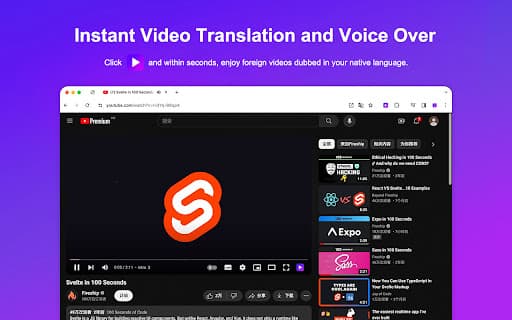
About YouTube中文配音
The YouTube Chinese Dubbing extension allows users to translate and dub videos from platforms like YouTube and Udemy directly into Chinese. Unlike traditional subtitle tools, it replaces the original audio with a Chinese voiceover, enabling viewers to watch videos without reading subtitles. This enhances viewing efficiency and creates a more immersive experience for Chinese-speaking audiences.
How to Use
Install the extension, visit supported sites such as YouTube or Udemy, and press play. The plugin will automatically translate and dub the video in Chinese. Customize voice options and volume settings as needed for optimal viewing.
Features
- Supports multiple platforms including PC, Android, and iOS
- Compatible with popular browsers like Chrome, Firefox, and Safari on iOS
- Adjustable playback speed for personalized viewing
- One-click translation and dubbing for convenience
- Separate volume controls for original and dubbed audio
- Integrated AI translation technology for accuracy
- Select different voice options and languages
- Works with major websites like YouTube and Udemy
Use Cases
- Watch foreign language videos on YouTube and Udemy in Chinese without reading subtitles
Best For
Language learners seeking immersive practiceViewers preferring Chinese audio over subtitlesStudents on online learning platforms like UdemyUsers aiming to avoid reading subtitles during videosChinese-speaking audiences seeking content translation
Pros
- Free to use, with optional premium upgrades for enhanced features
- Enhances viewing efficiency by eliminating the need for subtitles
- Offers customizable voice and language options
- Creates a more immersive experience with Chinese dubbing
- Compatible across various devices and browsers
Cons
- Translation accuracy may vary; premium versions offer better quality
- Limited daily usage for free users, which may affect frequent viewers
- Free users can watch only up to five videos per day
- Volume adjustment on iOS devices has some limitations
FAQs
Why does the free version limit users to five videos per day?
To prevent misuse such as recording and reselling translated videos, free users are limited to five videos daily. This helps ensure fair usage and supports ongoing development.
What benefits does the premium version include?
Premium users enjoy AI-enhanced subtitles, higher translation accuracy, and improved synchronization for a superior dubbing experience.
Which devices and browsers are compatible?
The extension supports Chrome, Firefox, and Safari browsers on iOS, as well as PC and Android devices. It works on websites like YouTube and Udemy.
Can I customize the voice and language options?
Yes, users can select from various voice options and languages to tailor the dubbing to their preferences.
Does the extension support all video platforms?
Currently, it supports popular platforms such as YouTube and Udemy, with plans to expand to other sites in the future.