

Zoho Creator Menu Search
A Chrome extension that simplifies menu navigation within Zoho Creator applications, enhancing user efficiency.
About Zoho Creator Menu Search
Zoho Creator Menu Search is a powerful Chrome extension designed to improve navigation and accessibility within Zoho Creator platforms. It enables users to quickly locate menus and submenus across all data centers and portals, streamlining workflows and boosting productivity.
How to Use
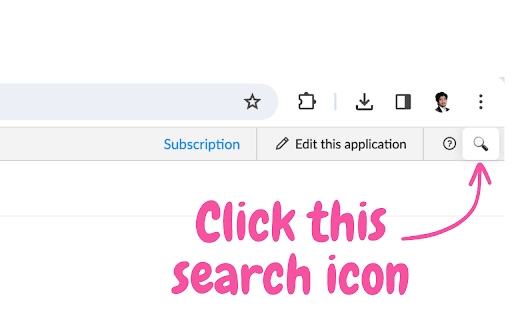
Download and install the Zoho Creator Menu Search extension from the Chrome Web Store. Click the search icon that appears, then type to instantly filter and locate menu items in any Zoho Creator application.
Features
- Streamlined Navigation
- User-Friendly Interface
- Seamless Platform Integration
- Real-Time Menu Search
- Responsive and Easy to Use
Use Cases
- Streamlining complex Zoho Creator workflows
- Quickly locating specific menus across applications
Best For
Zoho administratorsZoho Creator usersWorkflow managersZoho developersBusiness professionals
Pros
- Compatible with all Zoho Creator applications and portals
- Easy installation without setup complexity
- Speeds up navigation, saving time
- Intuitive interface that integrates smoothly
Cons
- Requires the Chrome browser to function
- Limited to Zoho Creator environments
FAQs
What is Zoho Creator Menu Search?
It is a Chrome extension that helps users quickly find menus and submenus within Zoho Creator applications.
How can I install Zoho Creator Menu Search?
Install it easily from the Chrome Web Store by clicking 'Add to Chrome' and following the prompts.
Is Zoho Creator Menu Search compatible with all applications?
Yes, it works across all Zoho Creator applications, regardless of data center or portal.
Does this extension require additional configuration?
No, it installs and works immediately with no additional setup required.
Can I use this extension on other browsers?
Currently, it is only available for Google Chrome.