

微知智能助手
An advanced plugin that enables AI-driven text processing, creative AI drawing, and seamless text generation.
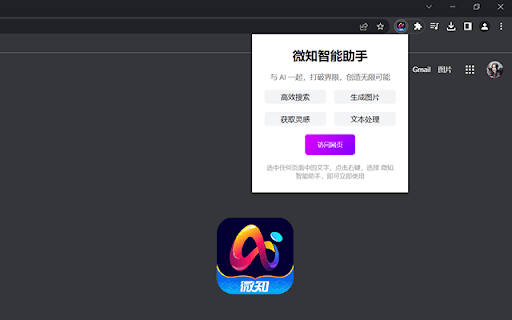
About 微知智能助手
The 微知智能助手插件 allows users to right-click on selected text to choose actions from a menu. It then opens a small window for engaging in conversations, generating AI artwork, or creating text content effortlessly.
How to Use
Select text, right-click to open the context menu, choose an action, and interact through a pop-up window for AI chats, image creation, or text development.
Features
- Integrates with the right-click menu for instant AI feature access.
- Enables AI-driven conversational interactions.
- Provides tools for automatic text generation.
- Includes AI drawing capabilities for visual content creation.
Use Cases
- Draft professional emails or social media posts using AI assistance.
- Generate concise summaries or translate selected text instantly.
- Create custom AI-generated images from text prompts.
Best For
Content creatorsResearchersStudentsEditorsWritersDevelopersDesigners
Pros
- Quick access to AI features via right-click menu.
- Offers diverse AI tools including chat, image creation, and text generation.
- Enhances workflows by embedding AI capabilities within your browsing environment.
Cons
- Requires internet connectivity for AI functionalities.
- Performance depends on the quality of underlying AI models.
- Possible privacy concerns when transmitting text data to AI servers.
FAQs
What operations can I perform with this plugin?
You can engage in AI-powered conversations, generate images, and create text directly from the right-click menu.
Is this plugin compatible with all browsers?
It is designed for popular browsers and offers seamless integration for a smooth user experience.
Does using this plugin require an internet connection?
Yes, an active internet connection is necessary for AI processing and data exchange.
Can I customize the AI features available?
Customization options depend on the plugin version; check settings for available configurations.
Is my data secure when using this plugin?
The plugin follows standard privacy protocols, but users should be cautious when transmitting sensitive information.